
Enterprise AI Measurement Guide
Browser Analytics
AI Usage Trends Chart
How have adoption rates for browser-based AI tools changed over time, and which tools are gaining or losing adoption?
What it shows
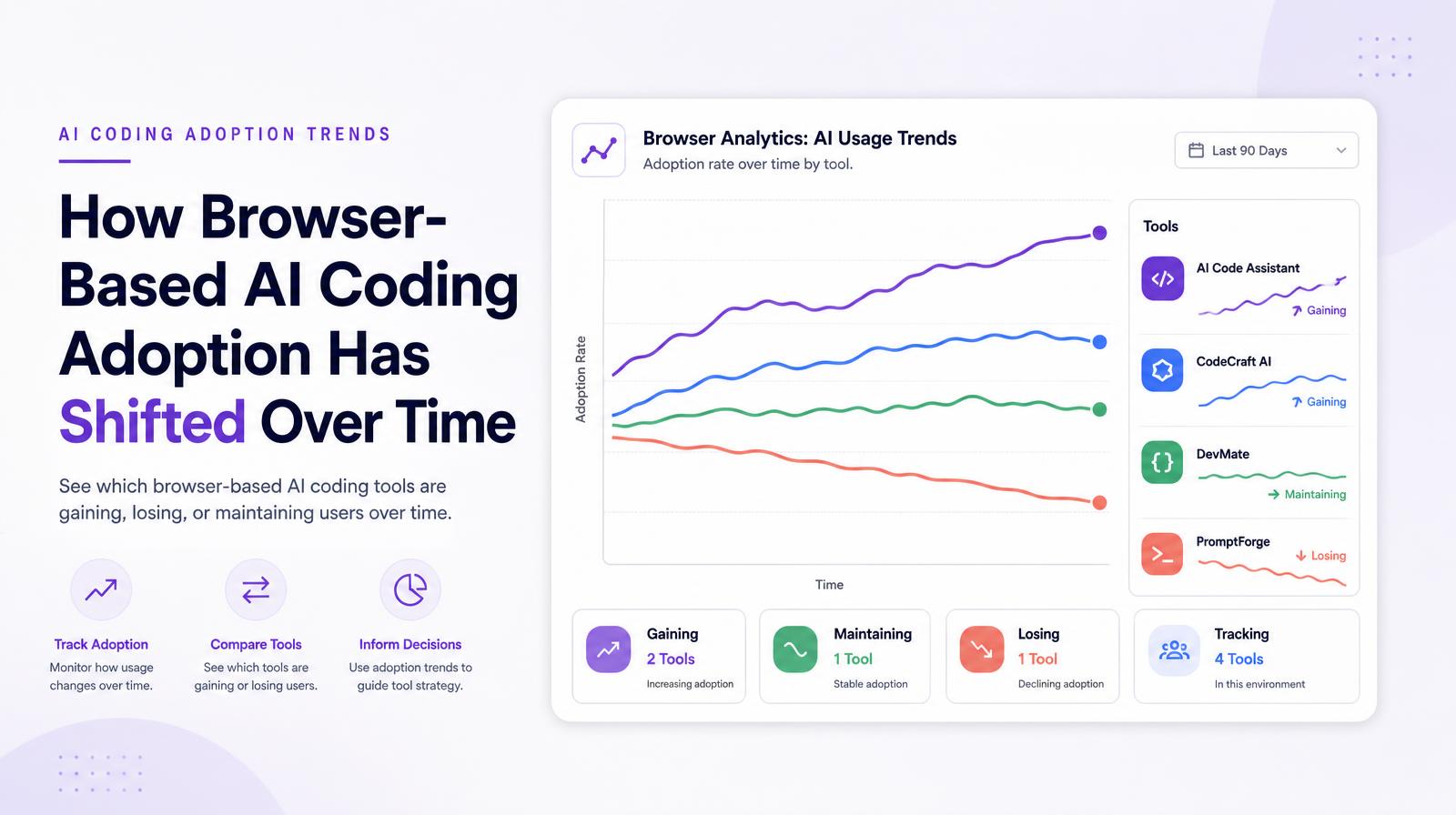
The Browser Analytics AI Usage Trends chart plots adoption rates over time for each browser-based AI tool detected in the environment, showing which tools are gaining, losing, or maintaining browser users over the selected period. Unlike the Unified Analytics trends chart, which shows total AI users across surfaces, the browser trends chart shows adoption specifically through the browser channel, making it the right view for evaluating browser-based tool strategy independently of desktop deployments.
Why it matters
Browser adoption trends reflect the natural migration of AI tool usage within the browser ecosystem, and they often presage desktop adoption shifts. When a browser-based AI tool's adoption curve flattens or declines, it may mean users are migrating to a desktop version of the same tool, to a competing tool, or disengaging entirely. Distinguishing between those scenarios requires the browser-specific trend alongside the desktop trends chart, which is why Larridin's tab-level trend charts exist separately from the unified view.
The Larridin angle
The browser trends chart is particularly valuable for governance: when an unapproved or unlicensed browser tool's adoption line rises steeply, it identifies the moment an unsanctioned tool is gaining organizational momentum, and triggers the governance decision window before it becomes an entrenched shadow AI problem.
Related Browser Analytics Metrics
Common questions
What does the Browser Analytics AI Usage Trends chart show?
The chart displays adoption rates over time for each browser-based AI tool, highlighting which tools are gaining, losing, or maintaining users through the browser channel.
Why is the browser-specific trend chart important for the C-suite?
It helps identify shifts in AI tool usage within the browser ecosystem, which can indicate potential changes in desktop adoption and inform strategic decisions.
How can the browser trends chart aid in governance?
It can detect when an unapproved or unlicensed browser tool's adoption is rising, allowing organizations to address potential shadow AI issues promptly.
How does the browser trends chart differ from the Unified Analytics trends chart?
The browser trends chart focuses on adoption through the browser channel, while the Unified Analytics chart shows total AI users across all surfaces.