
Enterprise AI Measurement Guide
Browser Analytics
AI Tool Insights Table
Which browser-based AI tools are being used, what is each tool's status and category, and how do their activity levels compare?
What it shows
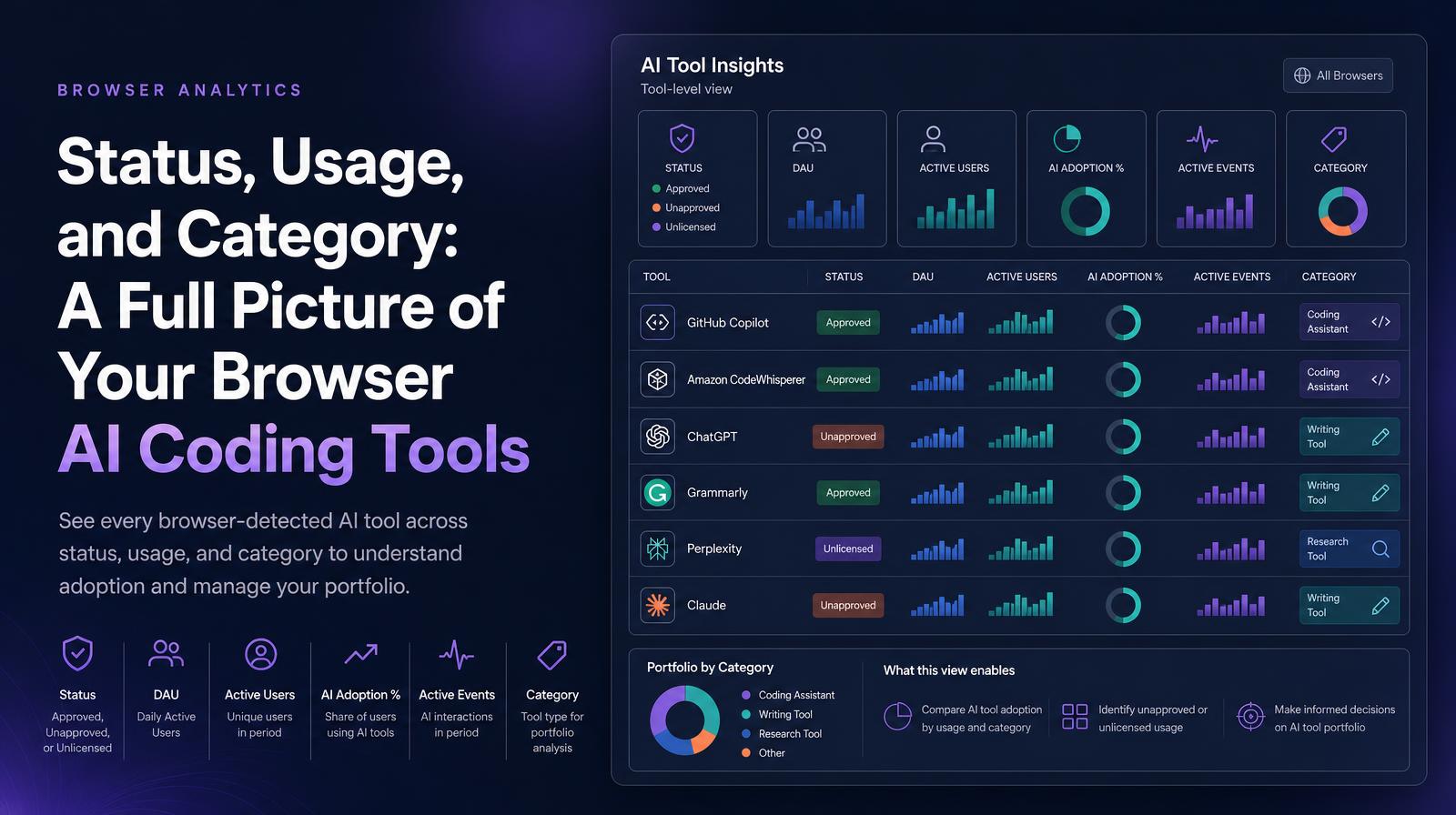
The Browser Analytics AI Tool Insights table shows every browser-detected AI tool with six dimensions: Status (approved, unapproved, or unlicensed), DAU, Active Users, AI Adoption %, Active Events, and Category (e.g., coding assistant, writing tool, research tool). The Category column is unique to the tool-level table and enables portfolio analysis by tool type, showing whether the organization's browser AI tool usage is concentrated in coding tools, writing tools, or other categories.
Why it matters
The Category column converts the browser tool table from a usage report into a portfolio segmentation tool. An organization whose top-10 browser AI tools are all in the "writing & communication" category has a different adoption profile than one where coding and analysis tools dominate, and the strategic implications for ROI, proficiency investment, and use case expansion differ entirely. CIOs and CHROs building AI strategy need to know not just which tools are used, but what kind of AI work the organization is doing at scale.
The Larridin angle
The Status column in the browser AI Tool Insights table is the governance layer for browser-specific tools. Browser-based shadow AI is particularly common because access requires only a URL, no installation, no procurement, no IT approval required. The table makes the full browser tool landscape visible with its governance classification, enabling CISOs to prioritize browser-channel governance alongside the desktop governance that coding agent deployment has made more prominent.
Related Browser Analytics Metrics
Common questions
What dimensions does the Browser Analytics AI Tool Insights table cover?
The table covers six dimensions: Status, DAU, Active Users, AI Adoption %, Active Events, and Category.
Why is the Category column important for organizations?
The Category column helps organizations understand the concentration of their AI tool usage, which is crucial for strategic decisions about ROI and AI work types.
How does the Status column contribute to governance?
The Status column provides a governance layer by classifying browser-specific AI tools, helping prioritize governance alongside desktop tools.
Who benefits most from the insights provided by the AI Tool Insights table?
CIOs, CHROs, and CISOs benefit as it informs AI strategy, governance, and understanding of AI work at scale within the organization.