
Enterprise AI Measurement Guide
Unified Analytics
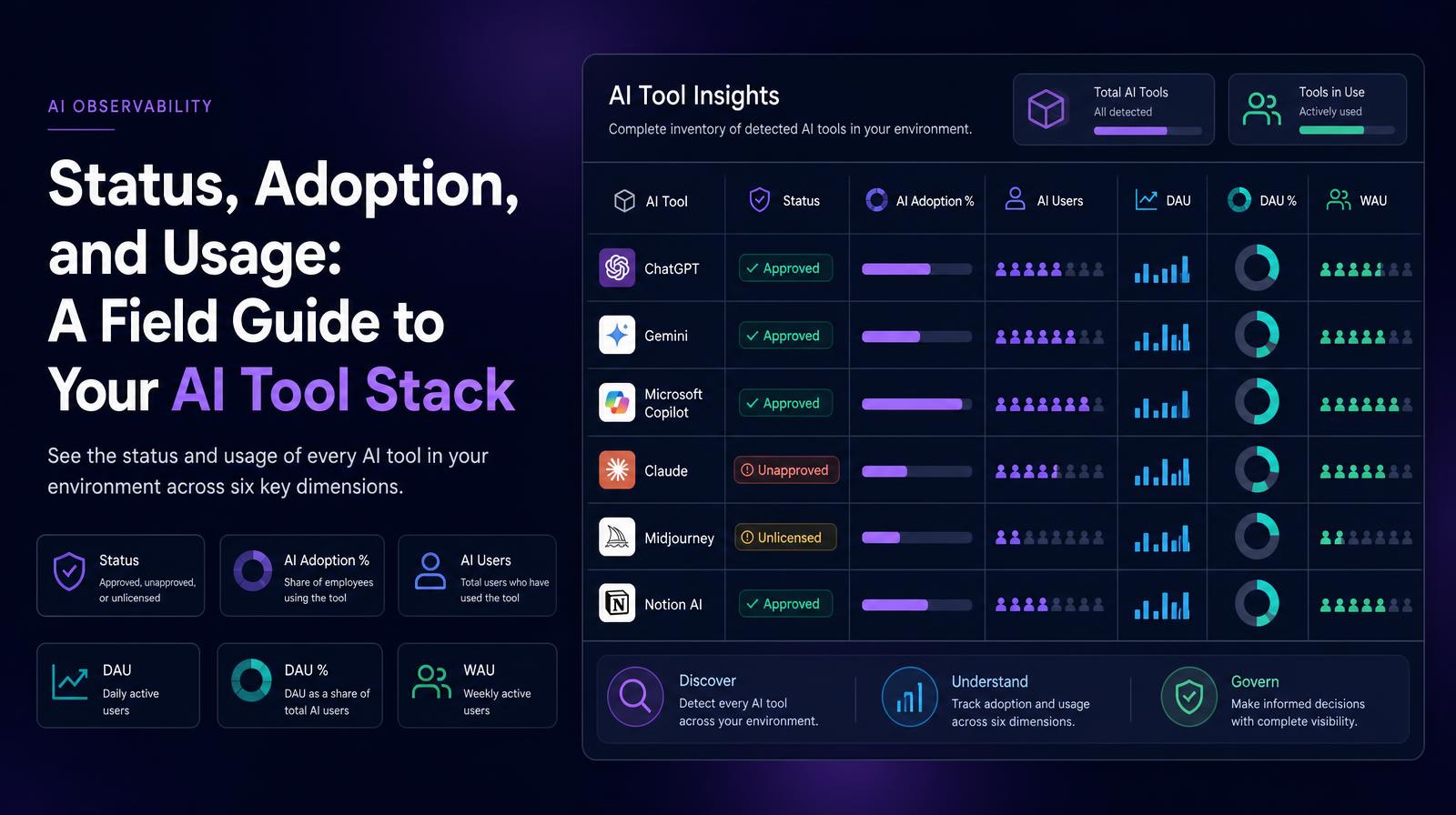
AI Tool Insights Table
Which AI tools are being used across our organization, what is each tool's status, and how do their adoption and activity levels compare?
What it shows
The AI Tool Insights table shows every detected AI tool in the environment with six dimensions: Status (approved, unapproved, or unlicensed), AI Adoption %, AI Users count, DAU count, DAU % (daily active users as a share of total AI users for that tool), and WAU (weekly active users). The per-tool view at this level of detail is the complete AI tool inventory, the document that makes governance, budget, and procurement decisions evidence-based rather than assumption-based.
Why it matters
The Status column is the governance layer that converts the AI Tool Insights table from a usage report into a compliance artifact. A tool with high DAU % and an "unlicensed" status is actively used outside procurement, generating cost exposure, data risk, and contractual liability. A tool with "approved" status and 3% DAU % is a licensed investment generating minimal return. Both findings require decisions; neither appears in an aggregate adoption number. The table is where the portfolio conversation gets specific enough to act on.
The Larridin angle
The DAU % column, daily active users as a share of that tool's total AI user count, is Larridin's engagement depth signal at the per-tool level. A tool with 200 AI Users and 180 DAU % is genuinely embedded in daily work. A tool with 200 AI Users and 12 DAU % is used occasionally. That distinction determines renewal priority, training investment, and governance urgency more accurately than either user count or adoption percentage alone.
Related Unified Analytics Metrics
Common questions
What does the AI Tool Insights table provide?
The AI Tool Insights table provides detailed information on each detected AI tool, including its status, adoption percentage, user count, daily and weekly active user metrics.
Why is the Status column important for the C-suite?
The Status column acts as a compliance artifact, highlighting tools that may pose cost, data, or contractual risks if they are unlicensed yet actively used.
How does Larridin's DAU % metric enhance decision-making?
Larridin's DAU % metric indicates engagement depth, helping prioritize renewals, training investments, and governance actions more accurately than user count or adoption percentage alone.
What is the significance of a tool's DAU % being high or low?
A high DAU % suggests the tool is embedded in daily work, while a low DAU % indicates occasional use, impacting renewal and investment priorities.