


TL;DR
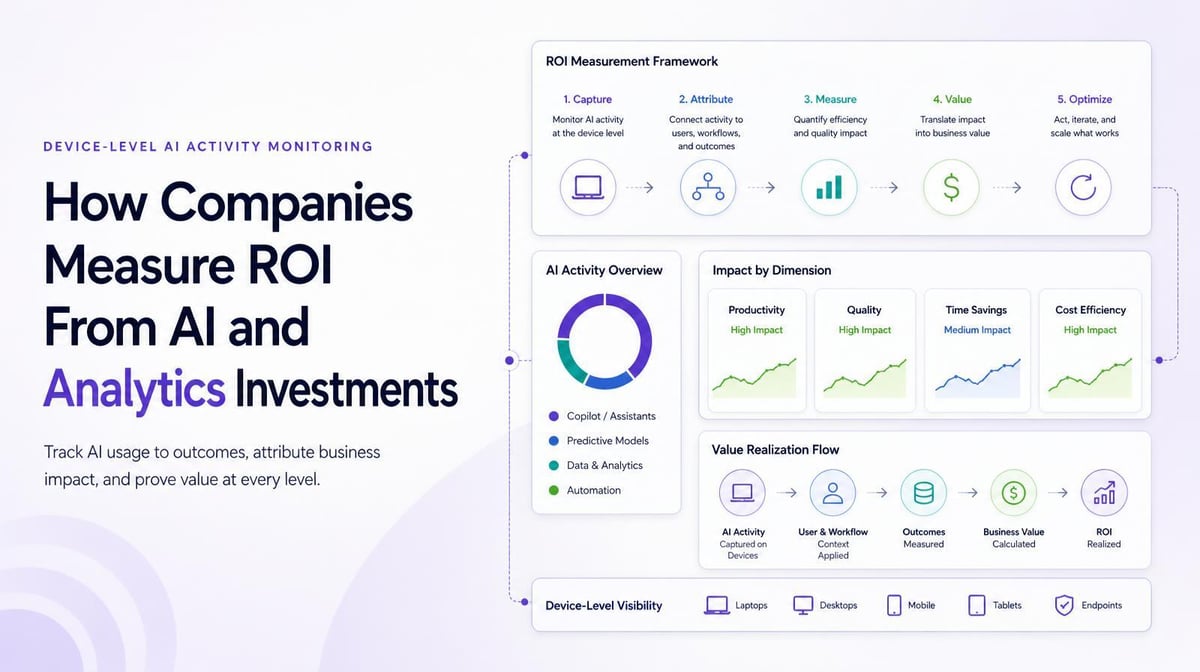
Device-level AI monitoring tools can capture AI usage on the computer itself, before traffic reaches the corporate network. Typically using a browser extension and desktop app, they can catch what network tools miss: remote work off the VPN, personal accounts on the same domains as enterprise ones, and how deeply each person uses AI. Larridin reports device-level AI usage by department and role. Keep your network controls; device-level data fills their blind spots.
Quick Answers
If you’re asking… | Short answer |
|---|---|
Is there a tool that monitors AI usage before it hits our network? | Yes. Endpoint monitoring through a browser extension and desktop app captures AI use on the device. Larridin is built on this model. |
Which platform shows us AI tool usage by department and role? | One that joins device-level usage to your org chart. Larridin maps usage to teams, roles and locations with permission-based dashboards. |
Why isn’t network monitoring enough? | Remote workers skip the corporate network, and personal and enterprise AI accounts often share a domain. |
Does device-level monitoring read prompts? | Not with Larridin. Most sensitive data is processed in the browser, and only summary statistics leave the machine. |
What Does Monitoring AI “Before It Hits the Network” Mean?
It means capturing AI activity at the endpoint in the browser or desktop app where the usage starts instead of inspecting traffic at a proxy, firewall, or gateway after it leaves the device.
The difference matters for distributed teams. An engineer working from home without the VPN never touches your network edge. A marketer using a personal ChatGPT account and a corporate one looks identical to a domain filter. On the device, both are visible, along with which tool, how often, and for what kind of task.
How Does Device-Level Monitoring Compare with Other Approaches?
Device-level monitoring can capture AI activity that network and identity tools miss; each approach has different strengths.
Approach | What it sees | What it tends to miss |
|---|---|---|
Network gateway, proxy or firewall | Traffic routed through corporate infrastructure, by domain | Off-network work, personal versus enterprise accounts on one domain, depth of use |
SSO and identity logs | Sign-ins to sanctioned apps | Unsanctioned tools, frequency, what the tool was used for |
Vendor admin consoles | Activity inside that vendor’s product | Every other AI tool in use |
Device-level (browser extension and desktop app) | AI use on managed computers wherever people work, by role and team | Phones and unmanaged personal devices |
Most security teams already run the first three. Adding device-level visibility helps build a more complete inventory of AI by department and role, which can reveal AI tool sprawl and provide a baseline for measuring AI adoption.
What Should You Look for in a Device-Level AI Monitoring Tool?
Look for broad AI app coverage, local data processing, and mapping to your org structure before anything else.
- Detection across hundreds of AI applications, updated as new tools launch
- A clear split between personal and enterprise use of the same tool
- Processing on the device, with only aggregated data sent to the cloud
- Mapping to department, role and location through your HRIS or directory
- Central deployment through your existing device management
- SOC 2 assurance, support for applicable HIPAA or GDPR obligations, and exports for auditors
- Guardrails that guide behavior instead of only blocking tools
Larridin Scout detects interactions with hundreds of AI applications through a centrally deployed browser plugin and desktop app. It supports SOC 2, HIPAA, and GDPR compliance requirements.
For a broader look at the security controls involved, see tools for monitoring risky use of enterprise AI assistants.
How Do You Roll Out Device-Level Monitoring Without Losing Employee Trust?
Tell employees exactly what’s collected and what isn’t before the first install, and lead with enablement.
People tend to accept measurement that helps them get better tools and training. They often resist anything that feels like keystroke surveillance. Publish the data categories, confirm that prompt content stays on the device, and report at team level by default. In regions with works councils, bring them in early.
What Are the Limits of Device-Level AI Monitoring?
Device-level monitoring covers managed computers, so phones and unmanaged personal devices need other controls.
Larridin’s tracking is currently computer-based and doesn’t cover iOS. If field or frontline staff do most of their AI work on phones, pair device-level data with mobile device management and your existing data loss prevention tools.
Where AI Usage Visibility Breaks, and How to Fix It
What you’re dealing with | What you need | How Larridin helps |
|---|---|---|
Remote staff invisible to network tools | Visibility on the device itself | Browser extension and desktop app capture usage wherever people work |
Can’t tell personal from enterprise accounts | Account-level distinction | Tracks personal versus enterprise AI use |
Usage data with no org context | Usage by department and role | Configurable org structure and permissioned dashboards |
Legal concerns about prompt capture | Privacy by design | Local processing; only summary statistics leave the device |
Key Takeaways
- Device-level tools capture AI use on the endpoint, before network controls see it.
- They cover remote work and personal accounts that domain filters can’t separate.
- Keep network and identity controls; device data fills their gaps.
- Mobile and unmanaged devices still need separate coverage.
FAQs
Is device-level AI monitoring legal?
It depends on local employment and privacy laws, the device, and the data collected. Have counsel review the notice and data categories before rollout, and give employees clear information about the monitoring.
Can it detect AI features inside other apps?
Larridin classifies browser-based AI tools at the URL level today, and detection of AI embedded inside enterprise applications such as CRM tools is on its roadmap.
How long does deployment take?
The extension and app can deploy centrally through device management. Time to useful visibility depends on enrollment coverage, permissions, and the data available.
Who sees the data?
You decide. Larridin supports role-based access, so a department head sees their own teams and security sees what governance requires.
Sources
- Larridin FAQ: architecture, data handling, limitations, compliance
- Larridin Scout: detection across known AI applications
- Larridin platform overview