


Larridin
TL;DR
Short answer: AI adoption, ROI, and spend metrics all assume usage maps cleanly to people and teams. Often it doesn’t. Shared logins, service accounts, API keys, and stale directory data create an “unassigned” bucket that can become your largest department in the data. Measure that bucket, then shrink it before you trust any per-team AI number.
Key wins:
- Know how much AI output and spend you can’t attribute.
- Find the specific causes: shared accounts, keys, directory gaps.
- Give every AI budget line an owner.
Who it’s for: CIOs, CAIOs, and finance leaders who report AI metrics by team.
What’s a Spark Insight? Sparks are short, data-backed findings Larridin surfaces from how AI is actually used across an organization. This post draws on two of them.
Quick Answers
If you’re asking… | The answer |
|---|---|
What is AI usage attribution? | Tying each unit of AI activity, output, or cost to a specific person, team, and budget owner. |
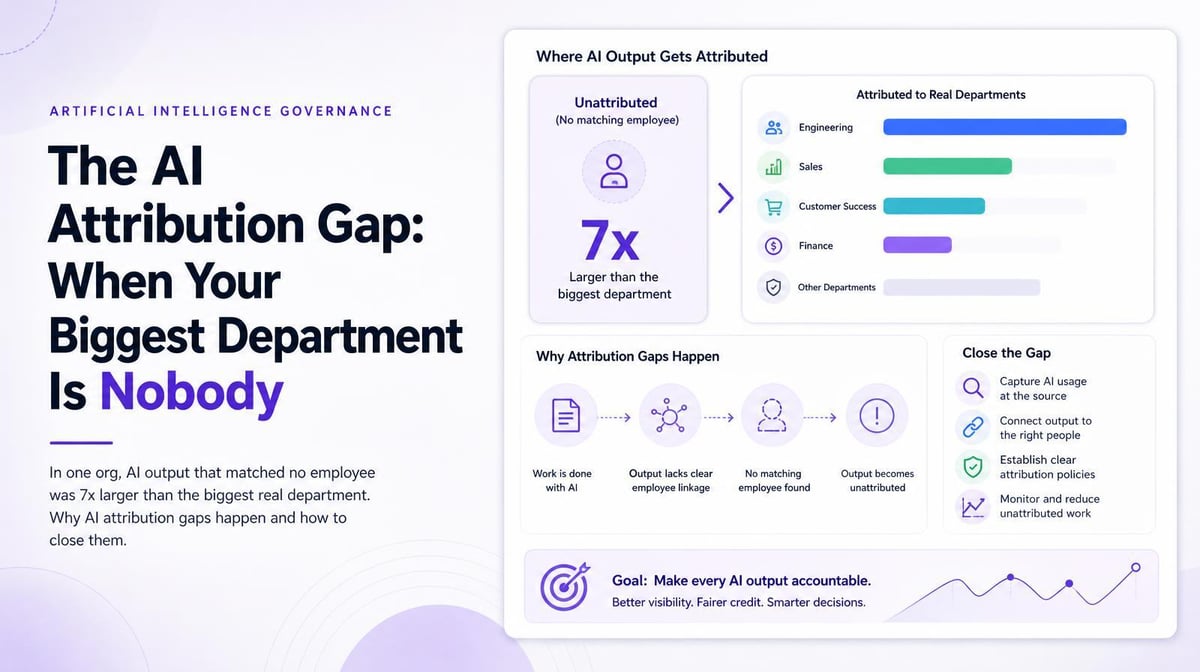
How big can the gap get? | In one ~3,000-person org, 30.6 FTE of AI-driven output matched no employee, more than 7x the largest real department (4.2 FTE). |
Does it affect spend too? | Yes. In Larridin’s own instance, several top AI spenders were assigned to “UNASSIGNED” departments, leaving their spend without a team attribution in the reporting. |
What causes it? | Shared logins, service accounts, API keys not tied to people, and identity data that doesn’t match the HR directory. |
What We Hear From Leaders
- Our department-level AI numbers add up to the total, so they must be right.
- Unassigned is just noise.
When “unassigned” is your biggest line, it isn’t noise.
What you struggle with | What you need | How Larridin helps |
|---|---|---|
Per-team AI metrics you can’t fully trust | The size of the unattributed bucket | AI Workforce shows output “Not matched to an employee” by period |
AI spend with no owner | Per-person spend mapped to departments | AI Spend Intelligence flags spend in unassigned departments |
Unclear root cause | Signals pointing to shared or service accounts | Person-level views that show where activity can’t be matched |
The Data: The Largest “Department” Was No One
Output. In one customer’s instance, a roughly 3,000-person org, the AI Workforce view showed org-wide Agent FTE—estimated AI-contributed capacity expressed in full-time-equivalent units—falling from 70.2 to 48.7 over four weeks, about a 30% drop. Across 130 tracked departments, 30.6 Agent FTE fell into a bucket labeled “Not matched to an employee.” The largest real department generated 4.2.
Spend. We run Larridin on ourselves. In our own instance, about $267K of billed AI spend came from nine sources over 12 weeks. The top three people accounted for about 24% of it and the top eight for about 37%. Several of the highest spenders were in “UNASSIGNED” departments, so the reporting didn’t tie their spend to a team.
Why Does the Attribution Gap Happen?
AI usage arrives through more doors than seat licenses:
- Shared or team logins for tools bought outside IT.
- Service accounts and API keys used by scripts, pipelines, and agents.
- Stale or mismatched identity data, such as new hires, contractors, or departed employees missing from the HR directory.
- Personal accounts used for work.
Any of these can leave real AI activity without a reliable employee or team match.
Why Does It Matter?
Every per-team metric inherits the gap. If a large share of output is unattributed, department leverage rankings may be wrong, ROI cases rest on partial data, and a drop in AI capacity could be a real decline or just activity moving into the unknown bucket. On the spend side, missing team attribution makes chargeback and per-developer AI budgets harder to manage.
How to Close the AI Attribution Gap
- Measure the bucket. Report unattributed output and spend as a share of total every month, and use AI spend anomaly detection to spot sudden cost changes.
- Map identities. Sync AI tool accounts with your identity provider and HR directory, including contractors.
- Tag non-human usage. Give every service account and API key an owner and a cost center.
- Retire shared logins in favor of named seats or SSO.
- Set a target, for example under 10% unattributed, before using per-team metrics for budget or performance decisions.
FAQ
What’s an acceptable level of unattributed AI usage?
There’s no standard, but a small, stable share is workable. A large or growing share means per-team numbers aren’t reliable yet.
Is unattributed usage a security problem?
It can be. Activity you can’t trace to a person is harder to govern and audit.
Who should own attribution?
Usually IT or the identity team, with finance setting cost-center rules for keys and service accounts.
Spark a discussion that moves your AI strategy forward. [Get your first Sparks]