
Enterprise AI Measurement Guide
Reports
App Usage Analytics
What does the App Usage Analytics report template show about AI application usage trends from daily activity to long-term adoption?
What it shows
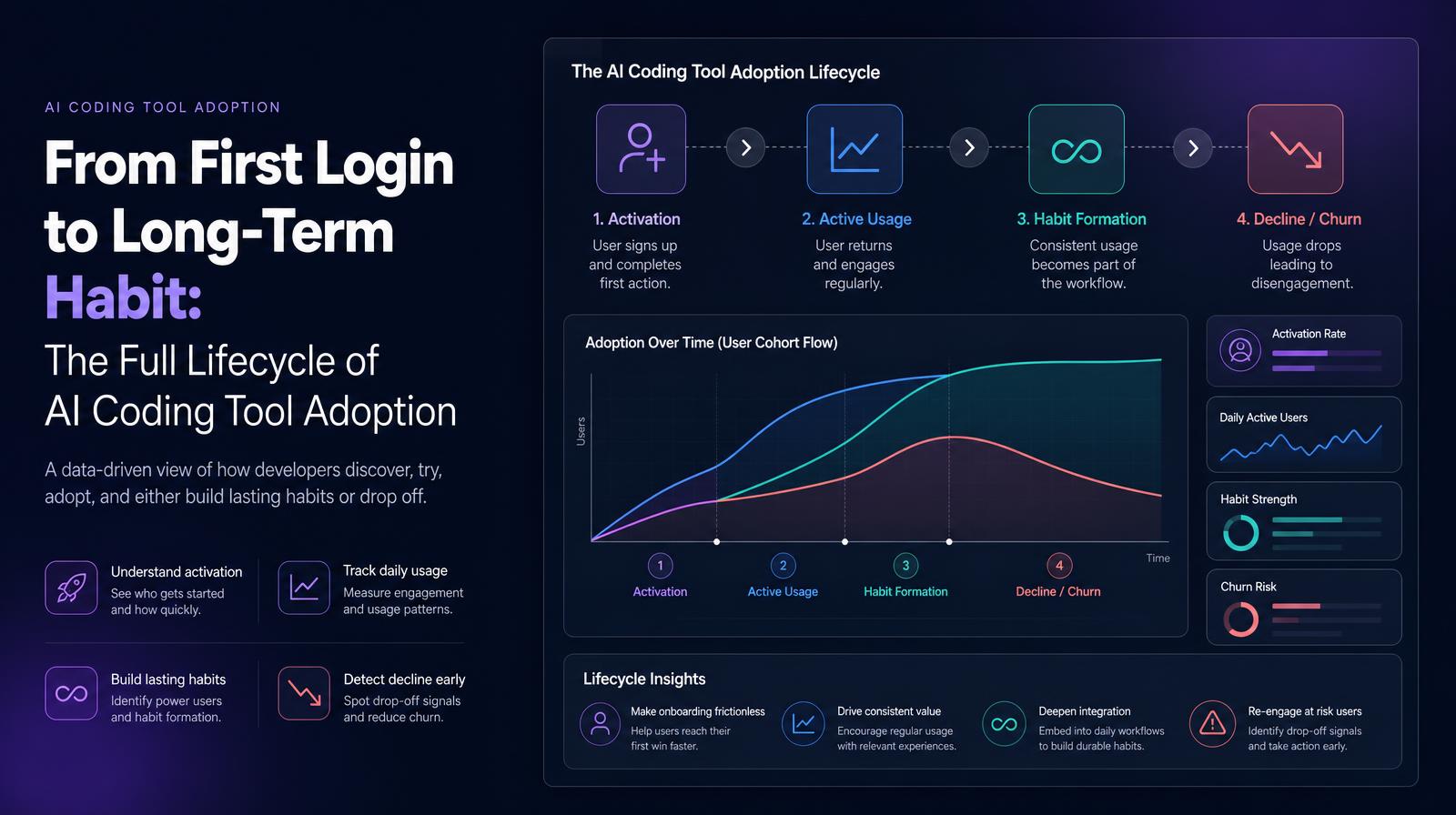
The App Usage Analytics report template shows usage trends across every AI application in the environment, from daily active user counts through long-term adoption curves, for any application and any time period in the data. It covers the full adoption lifecycle: initial activation, daily active usage patterns, sustained habit formation, and usage decline or abandonment. The report is configurable by application, time range, and user segment, making it the diagnostic tool for understanding how adoption of any specific AI coding tool is progressing.
Why it matters
AI tool adoption is not a binary, tools are not simply adopted or not. They move through phases: initial curiosity, active trial, habit formation, deep integration, and sometimes abandonment. App Usage Analytics makes that lifecycle visible for each tool individually, which is the data required to answer the questions that come up in every AI tool budget review: is adoption of this tool growing, plateauing, or declining? Are the engineers who started using it still using it three months later? Is daily active usage deepening or staying at surface level? Without lifecycle visibility, tool renewal decisions are made on current active user counts, which miss the trajectory.
The Larridin angle
The App Usage Analytics report is specifically valuable when comparing tools side by side, showing which tools establish daily habits and which plateau at occasional use. A tool where DAU grows 20% month-over-month is a different investment than one where WAU is high but DAU is flat, because high weekly but low daily usage is the signature of a tool engineers use when they remember it rather than one embedded in their workflow. Larridin's long-term adoption data makes that distinction concrete.
Related Reports Metrics
Common questions
What does the App Usage Analytics report template show?
The report template shows usage trends across AI applications, detailing the adoption lifecycle from initial activation to long-term usage or abandonment.
Why is understanding the AI tool adoption lifecycle important for the C-suite?
Understanding the lifecycle helps in making informed budget decisions by revealing whether tool adoption is growing, plateauing, or declining, beyond just current active user counts.
How can the App Usage Analytics report assist in comparing different AI tools?
It allows for side-by-side comparisons of tools, highlighting which ones establish daily habits and which plateau at occasional use, aiding in investment decisions.
What phases does the AI tool adoption lifecycle include?
The lifecycle includes phases such as initial curiosity, active trial, habit formation, deep integration, and potential abandonment.