


We're bringing developer productivity intelligence right where you plan. Larridin is now available inside Linear, giving engineering teams instant access to AI-era productivity insights directly in their issues, cycles, and projects — no context switching, no dashboard hopping.
Why This Matters
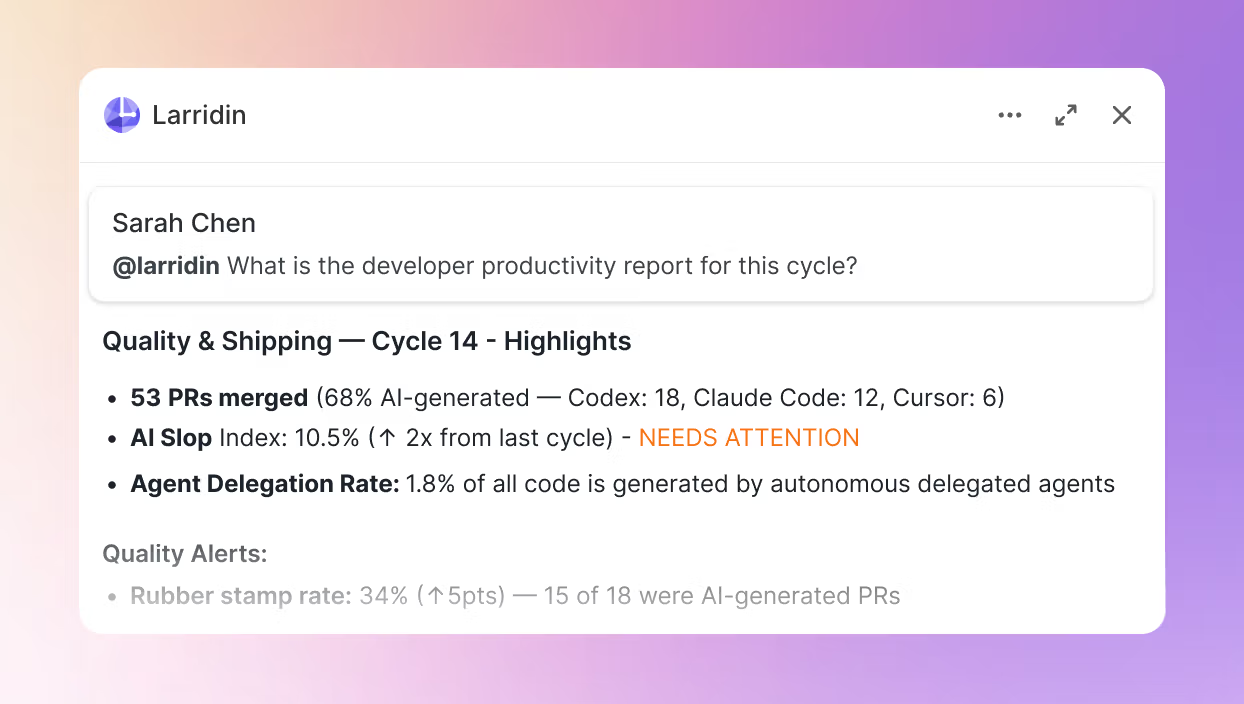
Engineering leaders shouldn't have to leave their planning tool to understand how work is actually getting done. With the Larridin integration for Linear, you can mention @larridin on any issue or cycle and get instant insights on what shipped, how fast, and how much of it was AI-generated.
What You Can Do
Trace any issue end-to-end. Mention @larridin on an issue to see the complete path: creation, coding agent activity, PR, code review, merge, deployment, and production health.
Get sprint scorecards. Pull throughput, median cycle time, scope changes, and the split between human-authored vs. AI-generated code — right inside your cycle.
Understand code quality. See rework rates, code turnover, and rollback frequency by team or developer for shipped work.
Measure agent effectiveness. Compare completion rates, autonomous runtime, cost-per-issue, and quality between agent-generated and human-authored code across Codex, Claude Code, and Cursor.
Surface team bottlenecks. Review turnaround times, delegation rates, and workflow bottlenecks at individual and team levels.
Connected to Your Stack
Larridin aggregates data across your engineering tools:
- Ticketing: Linear
- Source control: GitHub, GitLab
- AI coding tools: Codex, Claude Code, Cursor
- Monitoring: Datadog, Sentry, PagerDuty
Get Started
- Go to Settings > AI Coder Integrations in Linear (requires workspace admin)
- Connect your Larridin workspace via OAuth
- Select which Linear teams get access
- Start mentioning
@larridinin any issue, cycle, or project
Type @larridin help in any thread to see all available queries.