


The shadow AI tool you overlook may be the notetaker joining your sales calls. Larridin Spark data shows how unapproved-tool activity can surface meeting AI tools worth reviewing.
TL;DR
The Short Answer
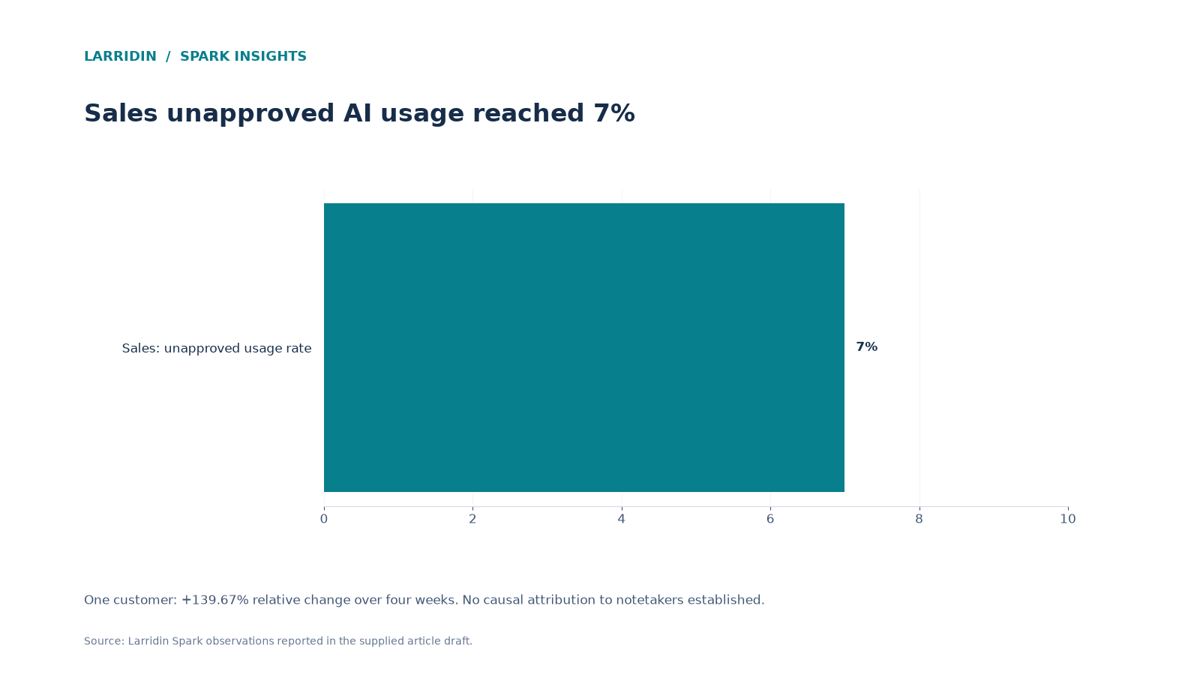
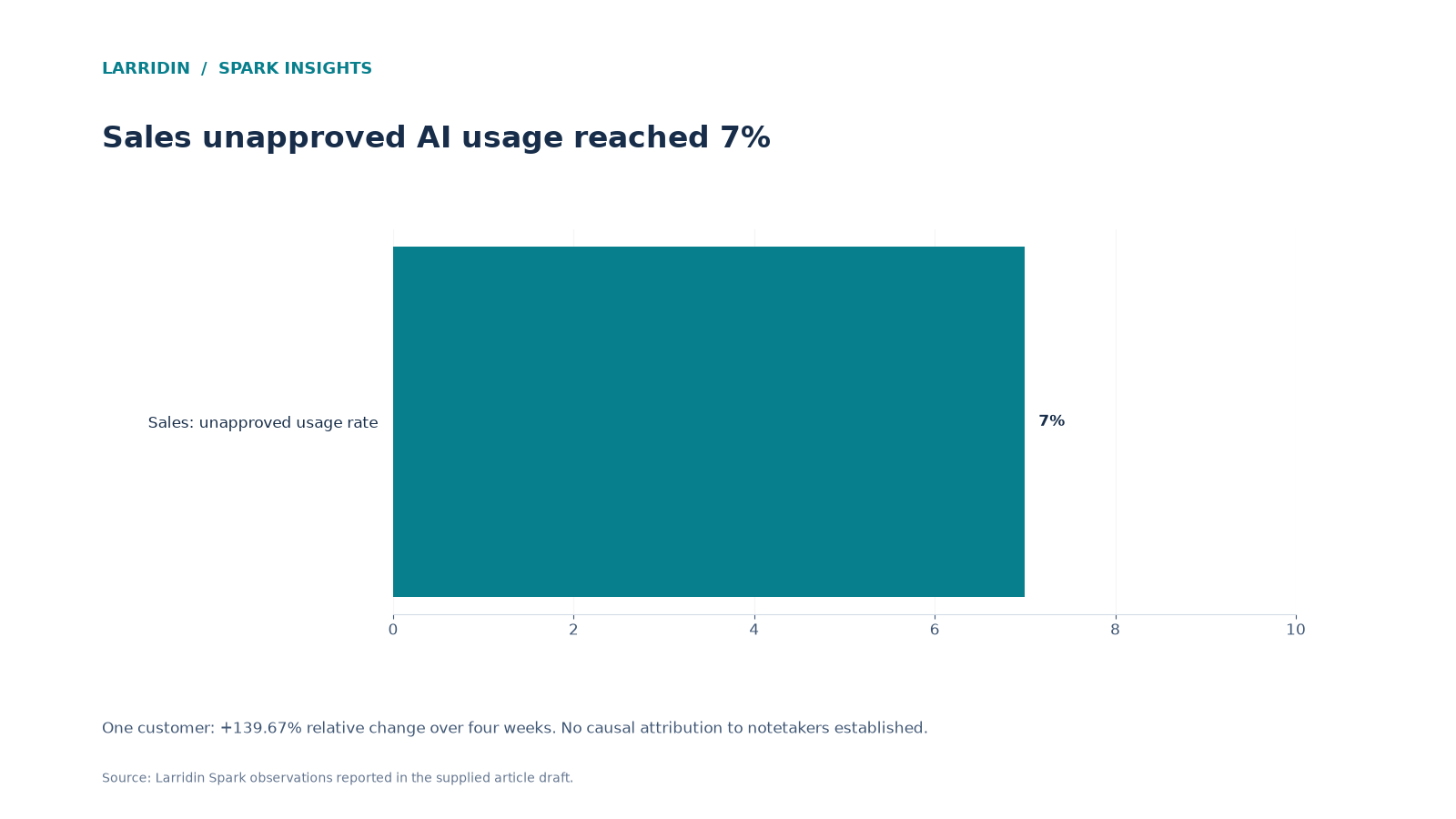
Unvetted AI notetakers can create privacy and security risks when used on customer calls. In one Larridin customer, Sales' unapproved AI usage rate rose 139.67% in four weeks, reaching 7%. In a separate Spark, a meeting notetaker led unapproved tools by daily active users, with 4 DAU, 17 active users, and 621 events over four weeks. These findings give security teams a reason to investigate meeting AI tools and their access permissions.
Key Wins
- See why AI notetakers deserve a closer shadow AI review
- Understand what’s at risk when unvetted tools record revenue calls
- Put a simple approval path in place for meeting AI
What’s a Spark Insight?
A Spark Insight is a data-backed finding Larridin surfaces automatically from how your teams actually use AI, flagging the patterns worth a leadership conversation.
Who This Matters To
CISO · CRO · CIO
Quick Answers
| If you’re asking… | The answer | Go deeper |
|---|---|---|
| Are AI meeting notetakers a security risk? | Unvetted ones can be. They record and store conversations that may include customer data, pricing, and contract terms. | The risk |
| What happened with unapproved AI use in Sales? | In one customer, Sales' unapproved AI usage rate increased 139.67% over four weeks, reaching 7%. | The data |
| Did meeting notetakers appear among unapproved tools? | Yes. In a separate Spark, a meeting notetaker ranked first by DAU, with 4 daily active users, 17 total active users, and 621 events over four weeks. | The data |
| How do I control AI notetakers? | Approve a vetted option, review calendar and meeting integrations, and set clear rules for recording customer calls. | What to do |
AI notetakers can connect to calendars and join meetings automatically, depending on their settings. That convenience makes them easy to adopt, but it also gives security teams another integration and recording policy to review.
What You’re Struggling With, and How to Fix It
| What you’re struggling with | What you actually need | How Larridin helps | Proof from Spark data |
|---|---|---|---|
| “I didn’t know AI notetakers were on our calls.” | Visibility into meeting AI tools | Detects unapproved AI tools by team, including notetakers | One instance: notetaker was the top unapproved tool by DAU |
| “Sales shadow AI jumped overnight.” | Department-level usage trends | Tracks changes in unapproved AI usage by department | One org: Sales unapproved usage +139.67% in 4 weeks |
| “I don’t know how many people use it.” | User and activity counts by tool | Shows daily users and events per tool | One Spark: 4 DAU, 17 active users, 621 events |
What This Means for You
If you’re a CISO
The question you’re asked: “What’s recording our customer conversations?”
What to do: Inventory meeting AI tools and calendar integrations. Vet options and establish rules for recording, consent, and access once approved.
For more on governance visibility, see AI Monitoring for CISOs.
If you’re a CRO
The question you’re asked: “Will a notetaker policy slow my team down?”
What to do: Give reps an approved notetaker option where appropriate, with clear guidance on when it can be used on customer calls.
For more on identifying and managing shadow AI, see What Is Shadow AI?
If you’re a CIO
The question you’re asked: “How do I stop the next tool from spreading this fast?”
What to do: Review department-level unapproved usage trends and calendar app permissions. Investigate spikes to identify which tools are involved.
For more on enterprise-wide AI visibility, see AI Monitoring for CIOs.
What the Sparks Data Shows
- +139.67% in four weeks: In one customer, Sales' unapproved AI tool usage rate rose to 7%.
- 4 DAU, 17 active users, 621 events: In a separate Spark, a meeting notetaker ranked first among unapproved tools by daily active users. The user and event totals cover four weeks.
Why Are AI Notetakers a Shadow AI Risk?
Because they can record sensitive conversations and access meetings through calendar integrations, potentially without an organization's approval.
Revenue calls include customer names, pricing, discounts, and contract terms. An unvetted notetaker may store that data under terms the company hasn’t reviewed. Depending on the integration settings, one rep's choice could extend to other meetings they attend.
For more on privacy, consent, and data retention concerns, see The Hidden Risks of AI Note-taking.
Myth: Shadow AI risk is mostly about chatbots.
Reality: In one instance, an AI notetaker was the top unapproved tool by daily active users.
What Does a Spike in Sales Shadow AI Tell Us?
That security teams should investigate which tools are driving the increase.
At one Larridin customer, Sales' unapproved AI usage rate rose 139.67% in four weeks, reaching 7%. In a separate Spark, a meeting notetaker led unapproved tools by daily active users. These findings make meeting AI worth reviewing, but do not establish that notetakers caused the Sales increase.
Spark callout: In a separate Spark, a meeting notetaker led unapproved tools by DAU, with 4 daily active users, 17 active users overall, and 621 events over four weeks.
How Should You Manage AI Notetakers?
Approve one, review integrations, and set clear recording rules.
A blanket ban may encourage workarounds. A vetted notetaker gives reps an approved option, but it still needs appropriate controls. Review calendar permissions, recording settings, consent requirements, data storage, and access to transcripts.
How to Get AI Notetakers Under Control
- Inventory meeting AI tools. Check calendar integrations and meeting app permissions.
- Approve a vetted notetaker. Give reps a safe option.
- Set recording rules. Cover customer consent, storage, and access.
- Monitor unapproved usage. Use Larridin's Unapproved AI Tool Usage Rate to track department-level changes and the Shadow Stack Table to review active users and events by tool.
Frequently Asked Questions
Do AI notetakers need customer consent?
Recording and consent rules vary by location and context. Check with your legal team and make disclosure part of your policy.
Should we ban AI notetakers?
Not necessarily. Providing a vetted option with clear recording and data-use rules may be more practical than an outright ban.
How do notetakers join meetings without IT knowing?
Many connect through calendar access granted by individual users, so they can join meetings without a central install.
Spark a Discussion About the AI on Your Revenue Calls
See which AI tools your sales team uses and how fast unapproved use is growing, and bring it to your next security review.