


Updated October 2, 2026
Buying AI licenses tells you what access costs. It does not tell you which tools your teams use, whether the seats fit their work, or what the business gets back. An AI usage dashboard should make those decisions visible in one place.
Key Takeaways
- Build your AI usage dashboard around decisions: which tools to retain, where to reallocate licenses, what adoption barriers to address, and which workflows to expand.
- Combine licensed seats, active usage, tool discovery, cost, and business outcomes. A login count alone cannot establish productivity or ROI.
- Give finance, IT, and department leaders shared metric definitions, appropriate access, and an accountable owner for each action.
Quick Navigation
- Why Build an AI Usage Dashboard
- Essential Dashboard Metrics
- How to Build the Dashboard
- Use the Dashboard to Optimize Licensing
- Design for Decisions and Privacy
- Turn Dashboard Data Into Action
- Frequently Asked Questions
Why Build an AI Usage Dashboard
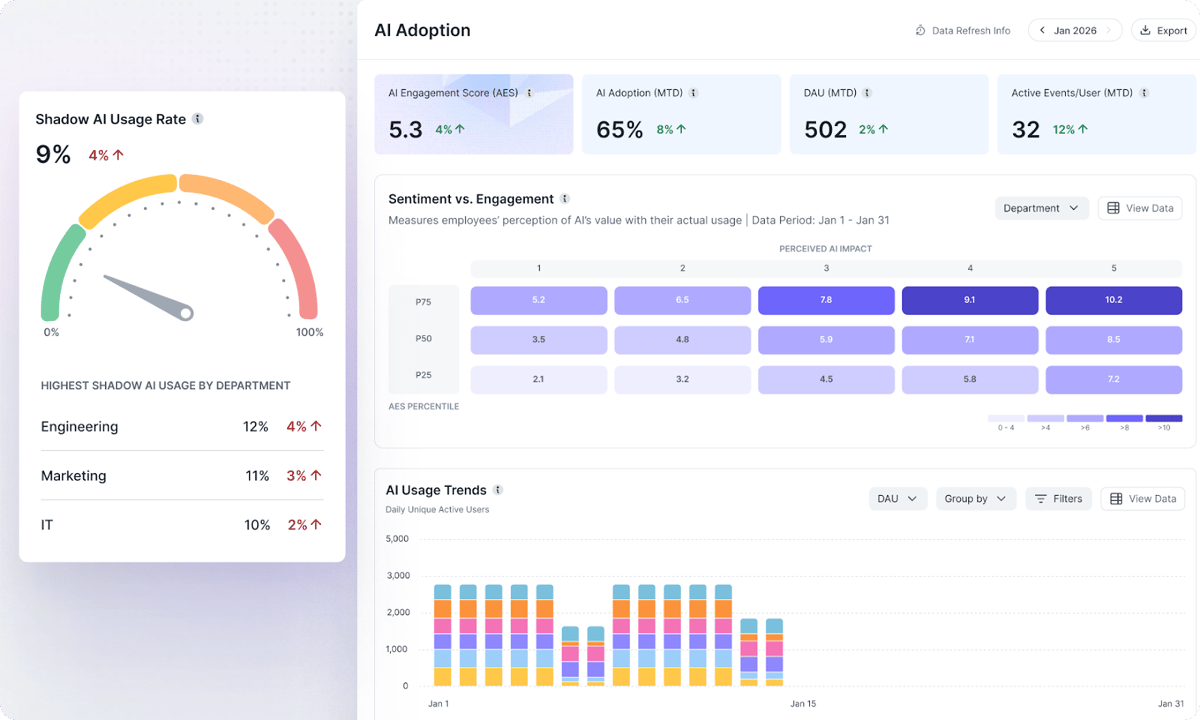
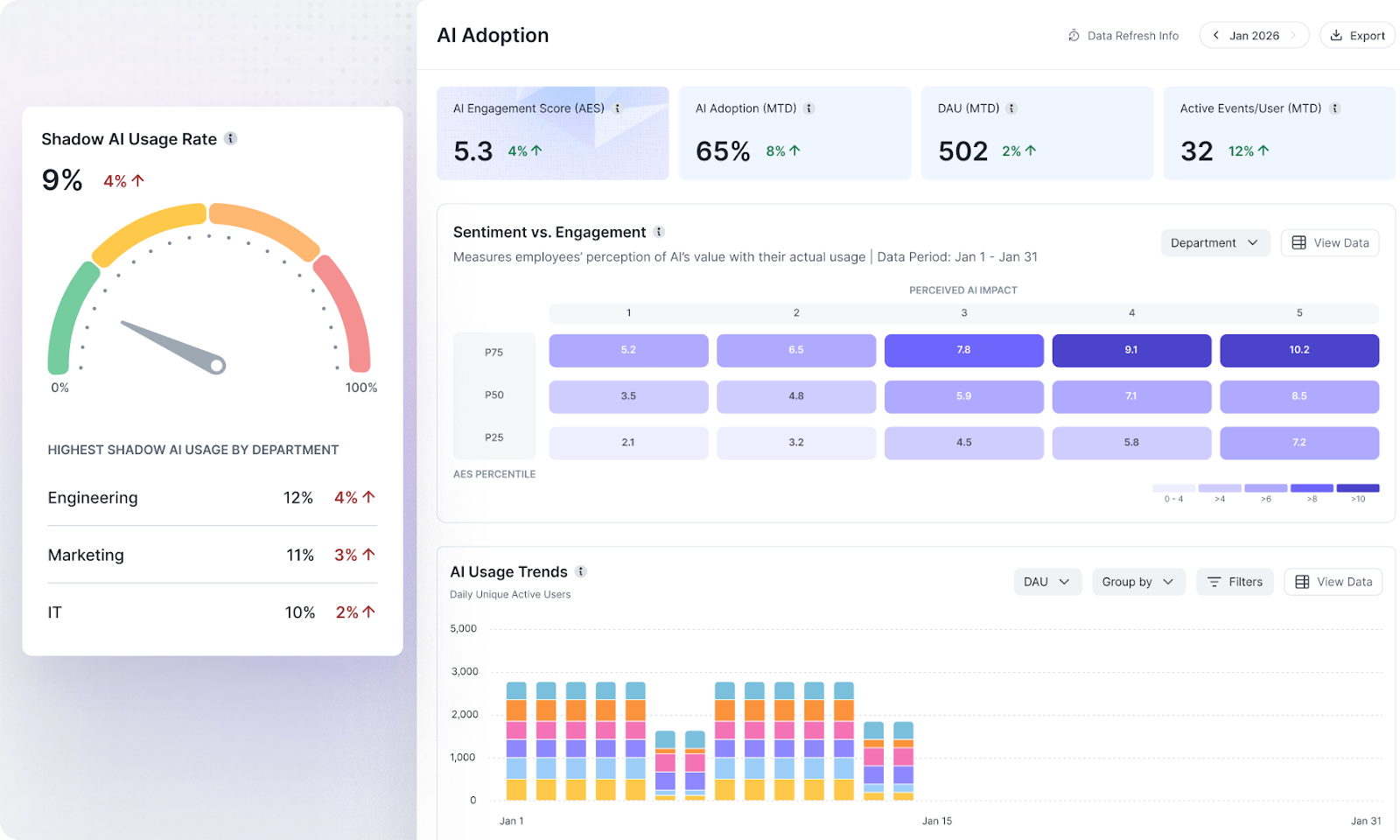
An AI usage dashboard brings together tool adoption, usage patterns, licensing, spending, and outcome data. AI use tracking supplies the underlying evidence; the dashboard organizes that evidence so you can make allocation, enablement, and governance decisions.
Without a shared view, finance sees purchased seats, IT sees approved applications, and department leaders see the tools used in daily work. Those views can diverge. Employees may hold unused enterprise seats while relying on personal accounts or other tools that procurement never selected.
For an illustrative example, suppose you buy 500 seats and only 200 people are active during the reporting period. That leaves 300 seats to investigate. It does not prove all 300 should be canceled: infrequent but important work, onboarding delays, leave, or the wrong tool for the role may explain the gap.
The dashboard should expose that distinction. A chart showing unused capacity becomes useful when you can filter it by department, renewal date, workflow, and adoption history, then assign a next step.
Essential Dashboard Metrics
Start with a small set of metrics that answer defined business questions. Document the reporting window and denominator for each measure.
- Active users versus licensed seats: Show purchased, assigned, and active seats separately. Define what counts as active use before comparing departments.
- Usage frequency and adoption trends: Distinguish occasional access from tools embedded in recurring work. Segment by team and use case rather than assuming every role needs the same usage pattern.
- Tools and account types in use: Compare approved tools with observed usage, including corporate versus personal accounts where your data sources support that distinction. Label coverage gaps.
- Feature and workflow adoption: Identify whether teams use the capabilities that justify a paid tier and which workflows depend on them.
- Cost by team and workflow: Bring seat charges and consumption costs into a consistent period. Document how shared charges are allocated.
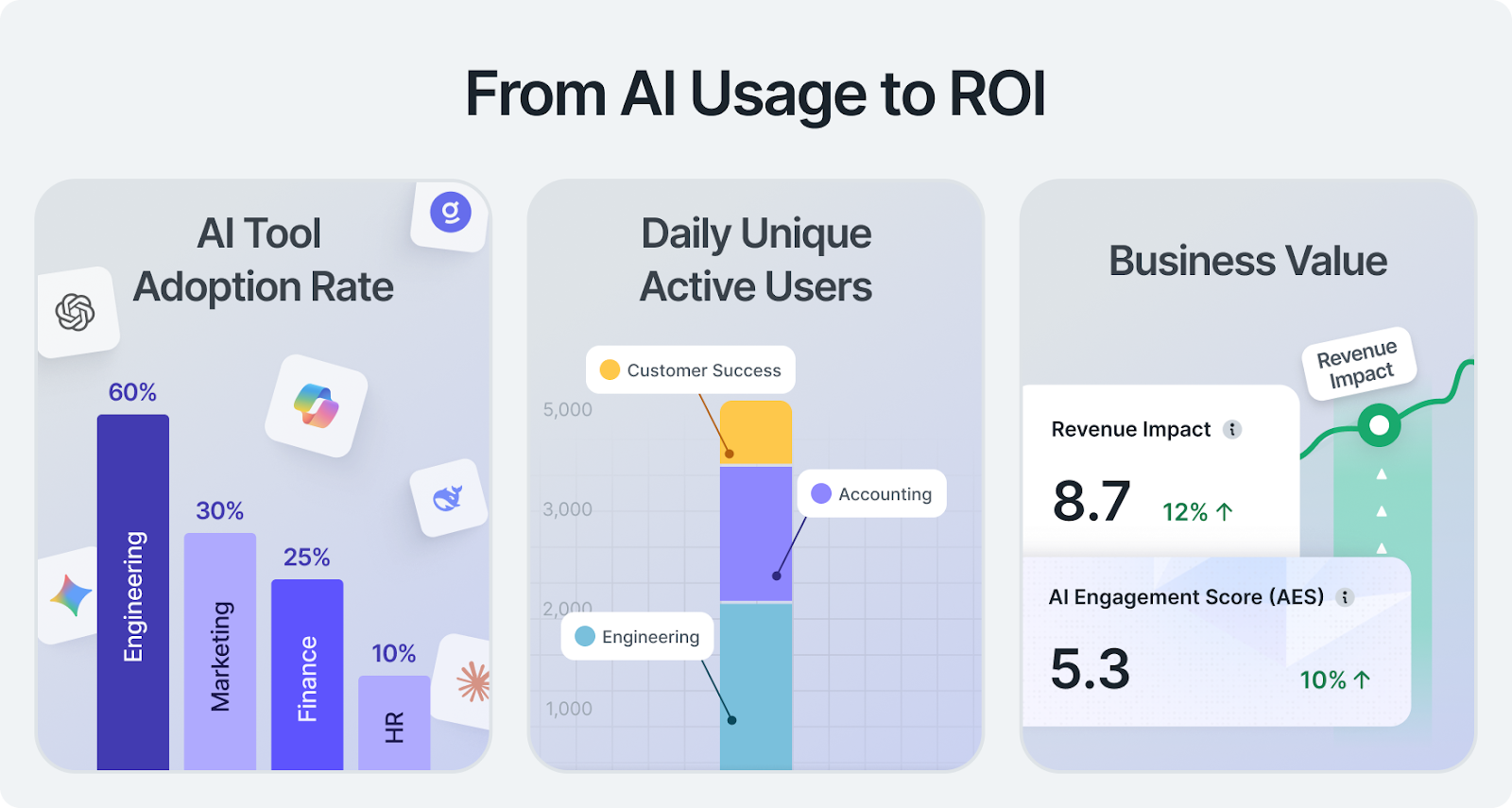
- Business outcomes: Pair usage with relevant delivery, quality, cycle-time, or other operational measures. Treat self-reported time savings as estimates, not verified financial returns.
- Governance signals: Surface unapproved tool usage and account-policy exceptions for review. Usage visibility alone does not prove sensitive data was disclosed.
A high adoption rate may coexist with poor outcomes. A low adoption rate may mean poor onboarding, limited need, or a tool that does not fit the workflow. Keep those explanations visible instead of treating activity as value.
How to Build the Dashboard
1. Define the Decisions and Owners
Choose the questions the dashboard must answer before choosing chart types. Finance may need renewal and allocation decisions; IT may need approved-tool coverage; department leaders may need adoption and workflow evidence. Name who investigates each signal and who can change access or budgets.
2. Connect Usage, Licensing, and Cost Data
Start with reliable vendor administration reports and available APIs, then add procurement, billing, and organizational data. Include internal AI tools where observability is available. Browser and desktop coverage can complement vendor integrations, subject to your privacy and governance requirements.
Map accounts to teams and departments, reconcile reporting periods, and retain the distinction between purchased, assigned, and active seats. Establish a baseline before reallocating access. Make missing tools, unsupported account types, and stale data explicit.
3. Choose the Presentation Layer
Tools such as Metabase, Tableau, ThoughtSpot, and Power BI can support dashboard development. Choose based on integration needs, analytical depth, access controls, and the skills of the people maintaining the data.
The charting layer does not resolve inconsistent identities or missing usage data. An internal build requires data engineering and ongoing maintenance as tools and billing models change.
4. Standardize Definitions and Reuse Templates
Define active usage, license utilization, cost allocation, and outcome measures once. Reuse a consistent layout across departments, while allowing role-specific expectations. Marketing content work and engineering coding work should not be judged against an identical activity threshold.
Power BI report templates can preserve reusable structures. Its Copilot report features can assist with report creation, but generated visuals and summaries still need review against the underlying definitions.
5. Set Access, Refresh Cadence, and Alerts
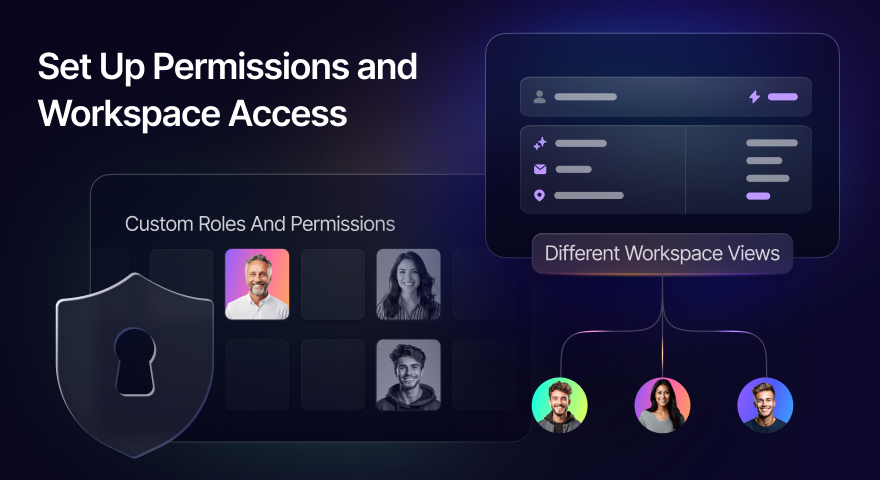
Give stakeholders the detail their decisions require. Use team-level views for routine allocation and enablement, with restricted access to more granular records. Display refresh timestamps and distinguish continuously updated sources from periodic reports.
Set alerts for unusual consumption, declining adoption, and upcoming renewals. Choose thresholds appropriate to the team and workflow, rather than applying one blanket limit across the organization.
Use the Dashboard to Optimize Licensing
Investigate Unused Seats Before Removing Them
Filter inactive seats by department, assignment date, and renewal timing. Ask whether the cause is onboarding, training, unsuitable functionality, or lack of a relevant workflow. Resolve those barriers before treating inactivity as a permanent lack of need.
Identify Teams That Need More Approved Access
Low licensed capacity alongside observed use of personal or unapproved accounts may point to an access gap. Confirm the use case and policy requirements, then allocate appropriate approved access. Additional licenses alone do not eliminate shadow AI.
Match Pricing Tiers to Used Capabilities
Compare paid functionality with actual workflow requirements. Reallocate seats or adjust tiers where access exceeds demonstrated need, while preserving security, administration, and other requirements that may justify enterprise licensing even for occasional users.
Consolidate Overlap and Scale Proven Workflows
Review tools serving similar use cases by team, adoption, cost, and outcomes. Consolidate redundant access only after checking for distinct workflow needs. Expand successful applications with onboarding materials and role-specific templates, then measure whether the results hold in the next team.
Design for Decisions and Privacy
Keep the main view focused on a few decision-critical measures, with drill-downs for investigation. Label definitions, time periods, data coverage, and allocation assumptions. Use trends and context rather than isolated activity totals.
Make every widget answer a practical question and identify the next action. A utilization chart should support renewal review; a cost spike should lead to an accountable workflow owner; an adoption gap should lead to an enablement conversation.
Explain what usage data you collect, why you collect it, who can access it, and how long it is retained. Use the dashboard for tool allocation, governance, and workflow improvement, not individual productivity rankings based on activity counts.
Turn Dashboard Data Into Action
Review usage and allocation regularly, with a deeper licensing review ahead of renewals. Investigate in-period alerts when they occur rather than waiting for the next quarterly meeting.
For each change, record the owner, decision, expected effect, and follow-up date. After removing seats, changing tiers, addressing onboarding, or expanding a workflow, check adoption, cost, and outcomes together. A smaller invoice is not a successful optimization if it blocks valuable work.
Frequently Asked Questions
What Is the Difference Between AI Use Tracking and an AI Usage Dashboard?
Tracking collects evidence about tool use. The dashboard presents that evidence alongside licensing, cost, and business context so stakeholders can decide what to change. Reliable tracking is a prerequisite for a useful dashboard.
Does Low License Utilization Mean We Should Cancel Seats?
Not automatically. Investigate onboarding, workflow fit, role requirements, and reporting coverage first. Reallocate or remove access when the evidence shows it is unnecessary, while protecting legitimate infrequent use.
Can Vendor Dashboards Replace a Cross-Tool Dashboard?
Vendor reports are useful inputs. A cross-tool dashboard adds consistent identities, organizational context, licensing definitions, and cost allocation across platforms. Document what each source can and cannot observe.
Does an AI Usage Dashboard Prove ROI?
No. Usage shows adoption, not financial return. Connect usage and spending with business-relevant outcomes and state the limitations of any estimates or attribution method.
Build an AI Usage Dashboard Your Organization Can Act On
Build internally if you can sustain the integrations, metric definitions, access controls, and maintenance. Evaluate an external platform against those same requirements rather than judging only the dashboard’s appearance.
Larridin brings together AI usage visibility, adoption, proficiency, spend, and business impact. That gives you a basis for investigating license allocation and workflow value across the organization.
Schedule a Demo to assess the data coverage and decision support your AI usage dashboard needs.